Configure System Settings
The System Settings page lets you perform global actions on the provider tenant.
| ➢ | Do the following: |
| 1. | In the Navigation pane, click Settings > System. |
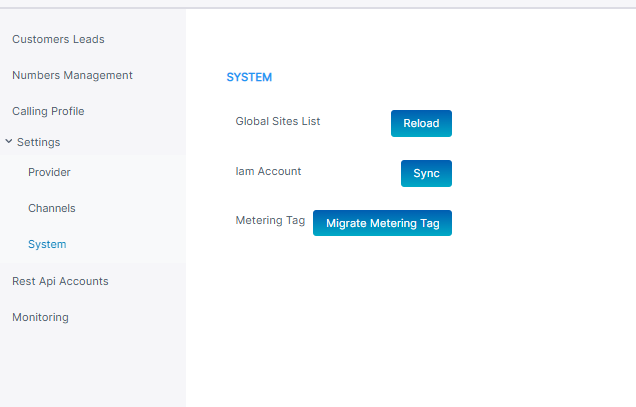
The table below describes the actions you can perform in this page:
|
Action |
Description |
|---|---|
|
Reload |
Reloads list of global sites. |
|
Sync |
Synchronizes the customer IAM accounts of all services that are attached to the provider. Perform this action for managed services deployed prior to version 1.50. |
|
Migrate Metering Tag |
Synchronizes the metering tags for all services that are attached to the provider to the Live Platform portal. Perform this action for managed services deployed prior to version 1.50. |